





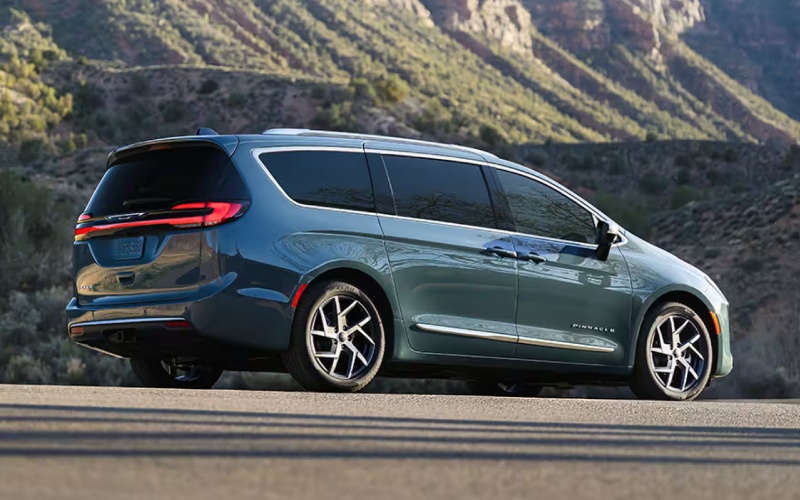
Century Chrysler - Why the Family Tech Group on the 2027 Chrysler Pacifica is a smart Choice for St. Charles, MO Parents
The 2027 Chrysler Pacifica brings a cabin built for busy households, and the available Family Tech Group is where everyday comfort and calm really come together. If you are weighing this package for school mornings, after-practice pickups, and weekend trips around the St. Charles area, here is how it adds meaningful value without extra complexity.
What the Family Tech Group Brings to Your Drive
Family Tech is about simple tools that help you manage the back seats without fuss. The package centers on features like the FamCAM™ Interior Camera, which displays second- and third-row views on your central screen so you can check on buckles, naps, or snack-time without turning around. It is complemented by the Uconnect® 5 system on a 10.1-inch touchscreen, giving you quick access to apps, audio, and available navigation with responsive menus that feel instantly familiar.
If rear-seat harmony is a priority, pair Family Tech with the available Theater Group — dual rear 10-inch HD touchscreens with Amazon Fire TV built-in — so each passenger can watch or play independently. That combination helps keep the cabin calm, which is a win for driver focus.
Everyday Scenarios Where It Pays Off
Picture a normal weekday: you drop off one child at rehearsal while the other waits in the second row. A quick glance at FamCAM™ confirms seatbelts are secured. Later, you queue up directions on Uconnect® 5 and use voice control to keep your hands on the wheel. If you opted for Theater Group, each rear passenger can watch their own content — no debates over a single screen, and fewer distractions for you.
On longer weekend drives to local games or visits with family, the quieter, more organized cabin can reduce fatigue. When the drive is over, the available Stow ’n Vac® vacuum makes cleanup quick, and Stow ’n Go® seating lets you create instant cargo space for gear or groceries.
How It Works with Safety and Camera Views
Family Tech blends naturally with the Pacifica’s safety mindset. Available Turn Signal-Activated Blind Spot View gives you a live camera feed to the side you are merging toward whenever you signal, and ParkSense® Based Camera Activation can bring up the camera view automatically when parking sensors detect an obstacle. The result is a smarter, calmer drive — you manage the cabin confidently while the van helps you see what is outside.
Who Should Add the Package?
If you frequently carry kids or carpool, Family Tech helps you stay in control without constant head-turning. Households that appreciate screen time for longer drives will get extra value by pairing it with Theater Group. If your daily routes include crowded school lots or busy arterial roads, combining Family Tech with the expanded Safety Sphere technologies is a smart match for real-world visibility.
Families who already love Stow ’n Go® for cargo flexibility will find Family Tech to be the perfect “set and forget” companion. It is intuitive, adds peace of mind, and does not get in your way when you are just running a quick errand.
Setup Tips for a Smoother First Week
Once your van is in the driveway, spend a few minutes personalizing your tech. Set driver profiles in Uconnect® 5, adjust the Home screen tiles to favorite apps, and try voice commands for common tasks to reduce distraction. Then, preview FamCAM™ angles while the vehicle is parked — practice viewing child-seat positions, and confirm what you can see from each row.
- Create user profiles for each regular driver
- Arrange Home screen tiles to your most-used apps
- Enable and practice voice commands for calls and audio
- Preview FamCAM™ views for child-seat and third-row positions
- Test a short drive with passengers to check screen visibility and volume
Frequently Asked Questions:
Does Family Tech require the Theater Group?
No. Family Tech focuses on cabin awareness and convenience features such as FamCAM™ and Uconnect® 5 enhancements. If you want rear entertainment screens with Amazon Fire TV built-in, add the available Theater Group for dual 10-inch HD displays.
Will FamCAM™ work at night?
FamCAM™ is designed for clear interior views in a variety of lighting conditions. You will still want to check visibility in your typical evening scenarios, but the system offers helpful detail for quick glances at the second and third rows.
Can each rear screen show different content with Theater Group?
Yes. With the available Theater Group, each 10-inch HD touchscreen can play different content independently, so one passenger can stream a show while another plays a game or watches a movie.
Is Family Tech difficult to learn?
Not at all. Uconnect® 5 uses familiar, app-like menus, and FamCAM™ is easy to access right from the central display. Most drivers feel at home after a single test drive and a few minutes of setup.
When you are ready to explore packages and see how the tech works in person, our team can tailor a demo to your family’s routine. We take the time to show you how features like FamCAM™, Uconnect® 5, and the available Theater Group fit real life, from quick errands to out-of-town weekends. You will get clear answers and hands-on time, all in one visit.
If you want guidance choosing between groups and trims, reach out to our friendly staff at Century Dodge Chrysler Jeep Ram — serving St. Charles, Troy, and O'Fallon — for a walkthrough that focuses on your must-haves. We are happy to help you map the right feature set for your daily drive and set up a test route that mirrors your routine.