





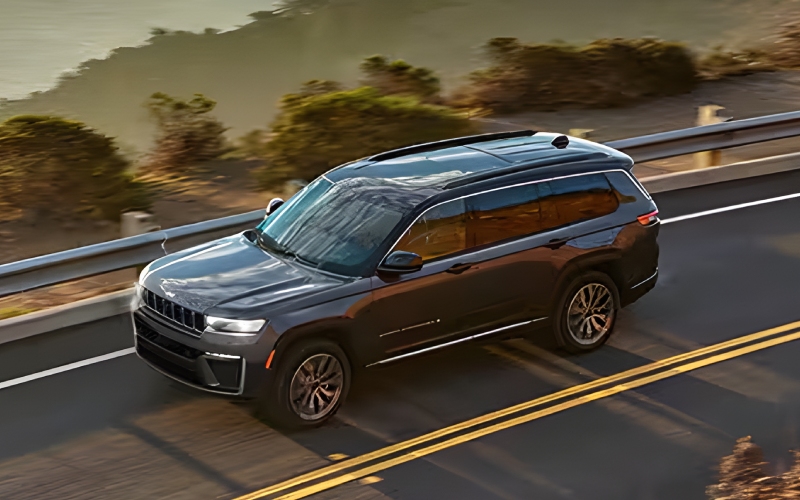
Century Jeep - How Interior FamCAM on the 2026 Jeep Grand Cherokee L Helps With Everyday Family Driving around St. Peters, MO
Families need more than a spec sheet—they need tools that actually make daily driving simpler and safer-feeling. That’s why the available Interior FamCAM on the three-row Jeep® Grand Cherokee L sparks so much interest: it promises a clear, convenient view of the back rows right on the Uconnect® 5 touchscreen. But how does it work in real life around school pick-ups, practices, and weekend outings across St. Peters and surrounding communities? Let’s take a deep, practical look at how FamCAM fits daily routines and what to try on your test drive.
What Interior FamCAM Is—and Why It Matters
Interior FamCAM is a Class-Exclusive available camera system that shows the second and third rows on the center touchscreen. Instead of shifting your posture or relying on a traditional mirror, you can quickly glance at the display to confirm seatbelts, check a sleeping child, or see who’s asking for a snack. This glanceable confidence supports the driver’s focus while keeping awareness of what’s happening behind you.
Because the Grand Cherokee L is purpose-built for family life, FamCAM complements a larger ecosystem of thoughtful features: available second-row buckets with Best-in-Class legroom, an available second-row console with Dual-Zone Climate Control and USB ports, an available power-folding third-row bench for fast reconfigurations, and six total USB ports spread evenly across all three rows.
Real-World Scenarios Where FamCAM Shines
From school drop-offs to weekend drives, here are specific moments where a cabin camera pays dividends. Think through your own routine as you read—chances are, at least one of these use cases will sound familiar.
- Quick seatbelt confirmations: Glance at the screen before pulling out to verify buckles are fastened in both rear rows.
- Peaceful nap checks: See if a toddler is still sleeping without turning around or risking a wake-up call.
- Settling sibling debates: Verify who has which toy or who needs a snack without taking your eyes fully off the road.
- Third-row visibility: Get a clear look all the way back, especially helpful when carpooling with friends.
- Fast status updates at lights: Use short stops to quickly assess everyone’s comfort and readiness.
Each of these scenarios might seem small on its own, but together they reduce stress and streamline communication in the car. Over the course of a week, that’s a noticeable upgrade to your driving rhythm.
How FamCAM Compares to Traditional Solutions
Mirror-only checks work—but they force you to rely on indirect angles and narrow visibility, especially for the third row. FamCAM brings a direct view, with support for zoom, as you prefer. Because it’s built into the Uconnect® 5 system, it’s right where your eyes already go for navigation, audio, and phone integration. That integration lowers the learning curve and makes it feel natural from day one.
Pair that with available Amazon Fire TV for rear-seat entertainment and available Mopar® wireless headphones, and you’ve got a cabin that keeps passengers settled while helping the driver stay focused. When everyone is engaged and comfortable, traffic and errands feel more manageable.
What to Try on Your Test Drive
To understand whether FamCAM truly fits your daily life, bring your crew and plan a route that mirrors your real-world driving. If you typically use multiple car seats or ride with friends, test entry and exit to the third row, then use FamCAM to confirm seatbelt checks and seating positions. Try these quick checkpoints:
- Visibility setup: With the vehicle parked, open the FamCAM view and explore the zoom function for each row.
- Buckle verification: Ask back-seat riders to buckle up and confirm from the screen without turning around.
- Third-row clarity: Place a bag or toy in the third row and confirm you can see its position clearly.
- Stoplight check: While stationary, use the display to assess comfort or pass along quick reminders.
- Screen workflow: Move between FamCAM, audio, and navigation to ensure the interface feels intuitive.
You’ll quickly learn how the display fits your natural scan pattern and whether the perspective and zoom meet your needs.
Family-Focused Benefits Beyond FamCAM
Interior FamCAM is one piece of a thoughtful cabin formula. Best-in-Class second-row legroom with available bucket seats means comfort that rivals the front row. The available second-row console with Dual-Zone Climate Control and USB ports gives middle-row passengers more control, while the available power-folding third-row bench turns cargo conversions into a one-touch task. Six total USB ports—two USB-A and two USB-C in each row—keep devices charged without cables crossing aisles or creating clutter.
These details add up, especially for households juggling multiple activities every day. And when you’re carrying seven passengers, getting more out of every inch of the cabin matters.
Where to See It in Action
Before your visit, jot down your must-haves—seating layout, tech preferences, and typical cargo. When you arrive, ask for a full demo of Interior FamCAM on the Uconnect® 5 screen, plus a walk-through of rear entertainment with Amazon Fire TV if you’re considering it. At Century Dodge Chrysler Jeep Ram, our team can set up sample profiles, connect devices, and help you dial in how the features will work for your family’s day-to-day. We’re proudly serving Warrenton, Dardenne Prairie, and St. Peters with tailored guidance and thorough test-drive support.
Frequently Asked Questions:
Is Interior FamCAM always on?
No. You can open the camera view on the Uconnect® 5 touchscreen whenever you want, then close it when you’re done. It’s designed to fit your preferences and driving style.
Can I zoom in on a specific seat?
Yes. FamCAM supports zoom so you can focus on a particular area of the second or third row—helpful for car seats, infants, or quick confirmations at a stop.
Does FamCAM replace a rearview mirror?
FamCAM complements your mirror by showing second- and third-row seating areas, not the road behind you. Continue using your mirror for exterior visibility, and use FamCAM for in-cabin awareness.
What if I don’t use rear entertainment—does FamCAM still make sense?
Absolutely. FamCAM offers value on its own by reducing stress and helping you monitor passengers quickly. If you do add Amazon Fire TV later, the two features pair well for comfort and calm on longer trips.
Ultimately, Interior FamCAM’s real value is how naturally it fits the way families move—dozens of tiny moments of clarity that add up to an easier, calmer drive. If you want to see how it supports your day-to-day around St. Peters and beyond, bring the family by for a hands-on test and try the checkpoints above. You’ll know within minutes if this camera is a must-have for your three-row SUV.